
Activity Tracking

Activity Tracking gives you a real-time view of every active Collaboration - contracts sent, signed, milestones paid, and payments pending. One dashboard.
Activity Tracking

Who This Is For

For every Creator juggling more than one project at a time.

Creators managing multiple active Collaborations Five contracts at different stages, three payments pending, two waiting for signatures. Status Tracking shows everything in one view - so nothing slips through.
Creators who want to stop chasing payments Before you follow up on a payment, check the status. Know whether an invoice was received, opened, or is genuinely overdue - before you send that message.
Creators building long-term Collaborator relationships See the full history of every Collaboration with every contact. Always informed before every conversation.
Creators who want to run their business with clarity Sovereignty starts with knowing where you stand. Status Tracking gives you the clarity to make decisions about your time, your pipeline, and your next move.

The Challenge vs. The Solution

Without Status Tracking

  • Digging through emails to find which contracts are still unsigned
  • No idea which invoices are outstanding vs overdue
  • Mental overhead of tracking multiple projects simultaneously
  • Sending awkward follow-ups without knowing the actual status

With Status Tracking

  • Every contract status visible in one dashboard — Draft, Sent, Signed
  • Milestone statuses: paid, pending, upcoming — all in real time
  • Total Balance, Available to Withdraw, and Unpaid Milestones always visible
  • Check the status before every follow-up — always informed

What Status Tracking Includes

A complete real-time view of every Collaboration in your Homebase.

Contract status dashboard Every contract tagged with its current status - Draft, Sent, Signed - searchable by name or Collaborator.
Milestone payment tracking See the status of every milestone across every active Collaboration - paid, pending, or upcoming.
Financial overview Your Total Balance, Available to Withdraw, and Unpaid Milestones in one dashboard - always visible at the top of your Homebase.
Per-Collaborator history Every contract, invoice, and payment with a specific Collaborator lives on their profile - your full history at a glance.
Contract open tracking Know when a Collaborator opened your contract and when they signed - follow up with context, not guesswork.
Accounting records Your full transaction history - searchable, filterable, and exportable as a CSV any time.

How It Works

01

Send your contract

The moment you send a contract, Happ starts tracking it - status moves from Draft to Sent automatically.

02

Track opens and signatures

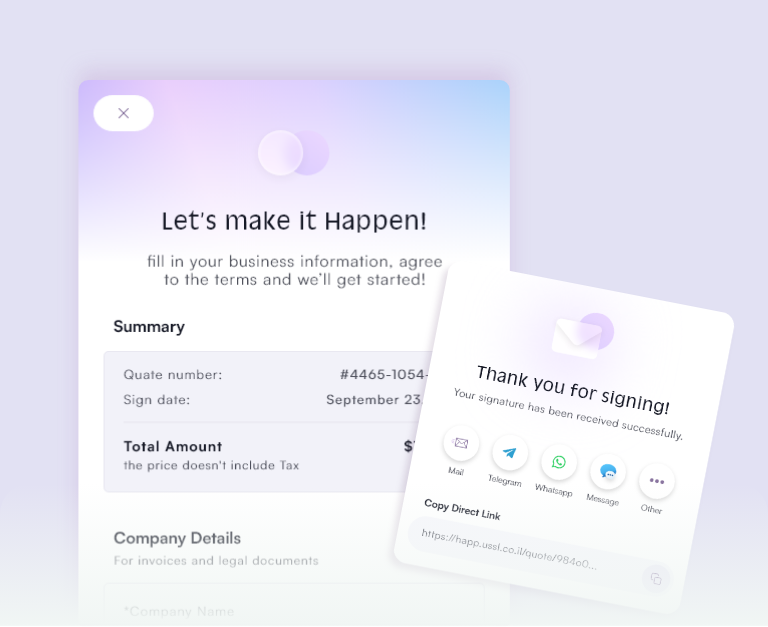
See when your Collaborator opens the contract - status updates to Signed the moment they complete E-Signature.

03

Monitor milestones in real time

As payments come in, your dashboard updates - paid milestones clear, unpaid ones stay visible until settled.

04

Check your financial position

Your Homebase always shows Total Balance, Available to Withdraw, and Unpaid Milestones - one glance tells you everything.

05

Review per Collaborator

Click into any contact to see every contract, payment, and invoice - the complete picture, always available.

Why Happ

Clarity is the foundation of creative sovereignty.

No more mental overhead When every status is tracked automatically, you stop carrying the weight of your pipeline in your head.
Follow up with confidence Check the status before every follow-up - know the facts before the conversation.
Everything connected Contracts, payments, invoices, and contacts are all connected - when one updates, everything reflects it.

Frequently Asked Questions

What contract statuses does Happ track?

Happ tracks Draft (being built), Sent (shared with Collaborator), and Signed (E-Signature complete and locked). You can see the status of every contract in your Homebase dashboard.

Can I see which contracts have been opened but not signed?

Yes. Happ tracks when a contract is sent, when it's opened, and when it's signed. You'll see all of this in your contract dashboard — so you always know where each Collaboration stands.

What is the difference between Total Balance and Available to Withdraw?

Total Balance includes all funds in your Happ account — both liquid funds and the value of unpaid milestones. Available to Withdraw is the portion ready to transfer to your bank right now.

Can I search for a specific contract?

Yes. Use the search bar in your Homebase to find any contract by name, Collaborator, or date. Your full contract history is always searchable.

Is my Collaborator's payment history visible from their profile?

Yes. Every contract, invoice, and payment with a specific Collaborator is visible from their profile in Your Network. Your full history together, organized in one place.

Pricing

USD Free · $20/month · $299+/month — Status Tracking is included in every Happ plan.

Professional Insights

Tips for staying on top of every Collaboration without the stress.

Check your dashboard every morning A 60-second review of your active contracts and unpaid milestones sets your priorities for the day.
Use contract status before following up If a contract is Sent but not opened - follow up on the link. If opened but not signed - follow up on the terms.
Use per-Collaborator history before every meeting Before a call with a Collaborator, check their profile - see what you've worked on together and what's still open.

Evidence from the Field

Guides for Knowledge Architecture & Structuring